Capital One Shopping Offers: Real Experience – What Works and What Doesn’t
Real experience with Capital One Offers: some deals track and pay, others don’t. Learn how to check status, follow up, and improve your chances of getting rewards.

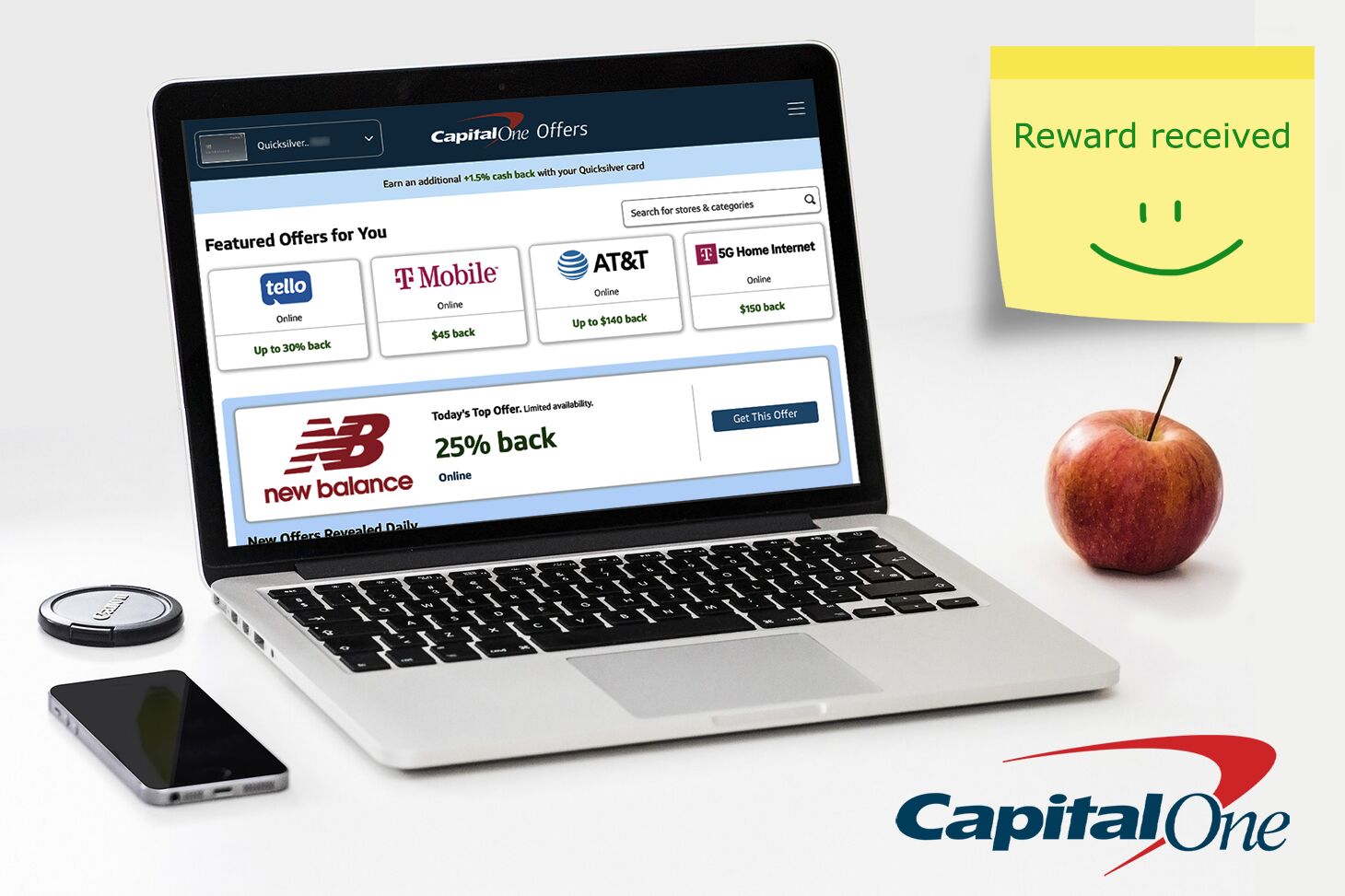
Photo: big4credit.com
Capital One Shopping Offers can look extremely appealing. You’ll often see 10%, 20%, or even 30%+ cash back, or $10+ back at popular stores. On paper, it’s one of the easiest ways to save money on both online and in-store purchases. But in practice, the experience isn’t always consistent. After using these offers regularly, the reality is this: sometimes they work perfectly – and sometimes they don’t track at all, even if you follow every rule.
A Real Example That Worked
I activated an offer for $25 cash back on orders of $50 or more at PetSmart (online) through Capital One Offers.
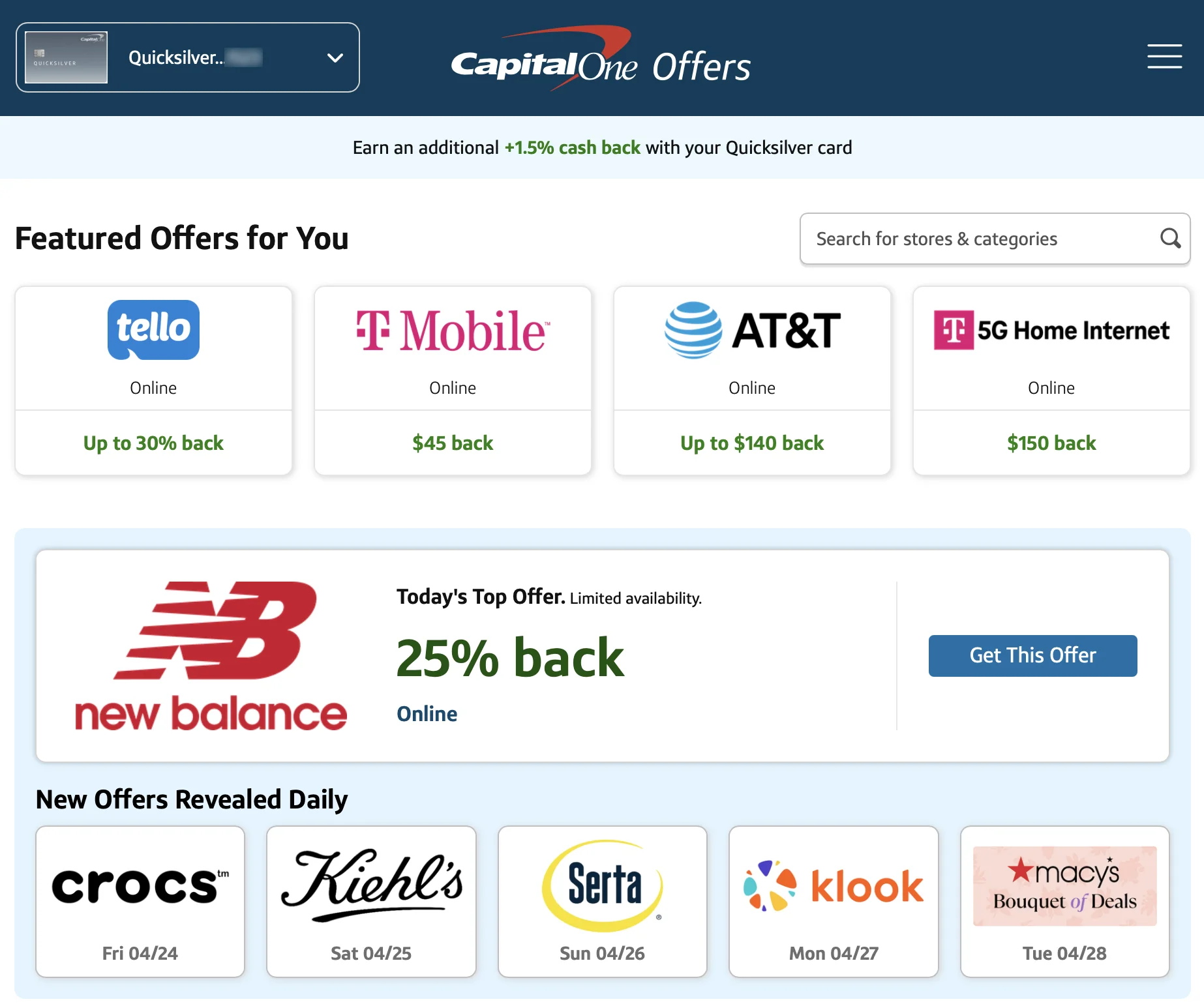
What I did:
- Clicked through Capital One Offers in the app or on the website
- Completed the purchase in the same session
- Paid with the specific Capital One credit card linked to the offer
If you have multiple Capital One cards, make sure you use the correct one
- Didn’t use any external coupon codes or gift cards
- Stayed in the same browser and device throughout the purchase
Best practice: use Google Chrome with ad blockers, extensions, and other plugins disabled
Result:
- The purchase showed as “Pending rewards” within ~24 hours
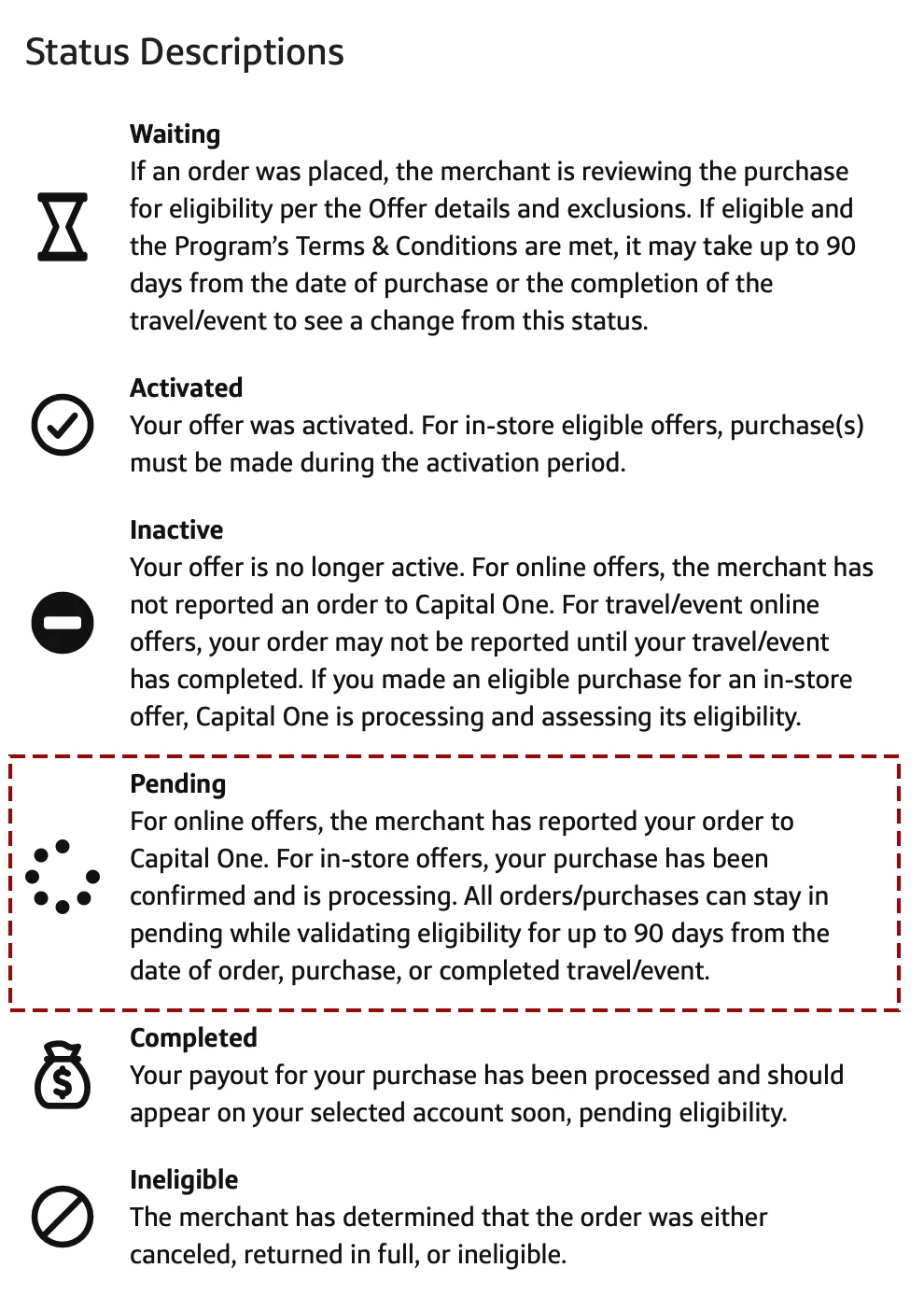
Screenshot of Capital One Offers status descriptions
- Cash back was confirmed after a few weeks
- I received the full $25 reward with no issues
This is how the system is supposed to work — simple and seamless.
A Real Example That Didn’t Work
I also used an offer for 30% cash back at Tello (online).
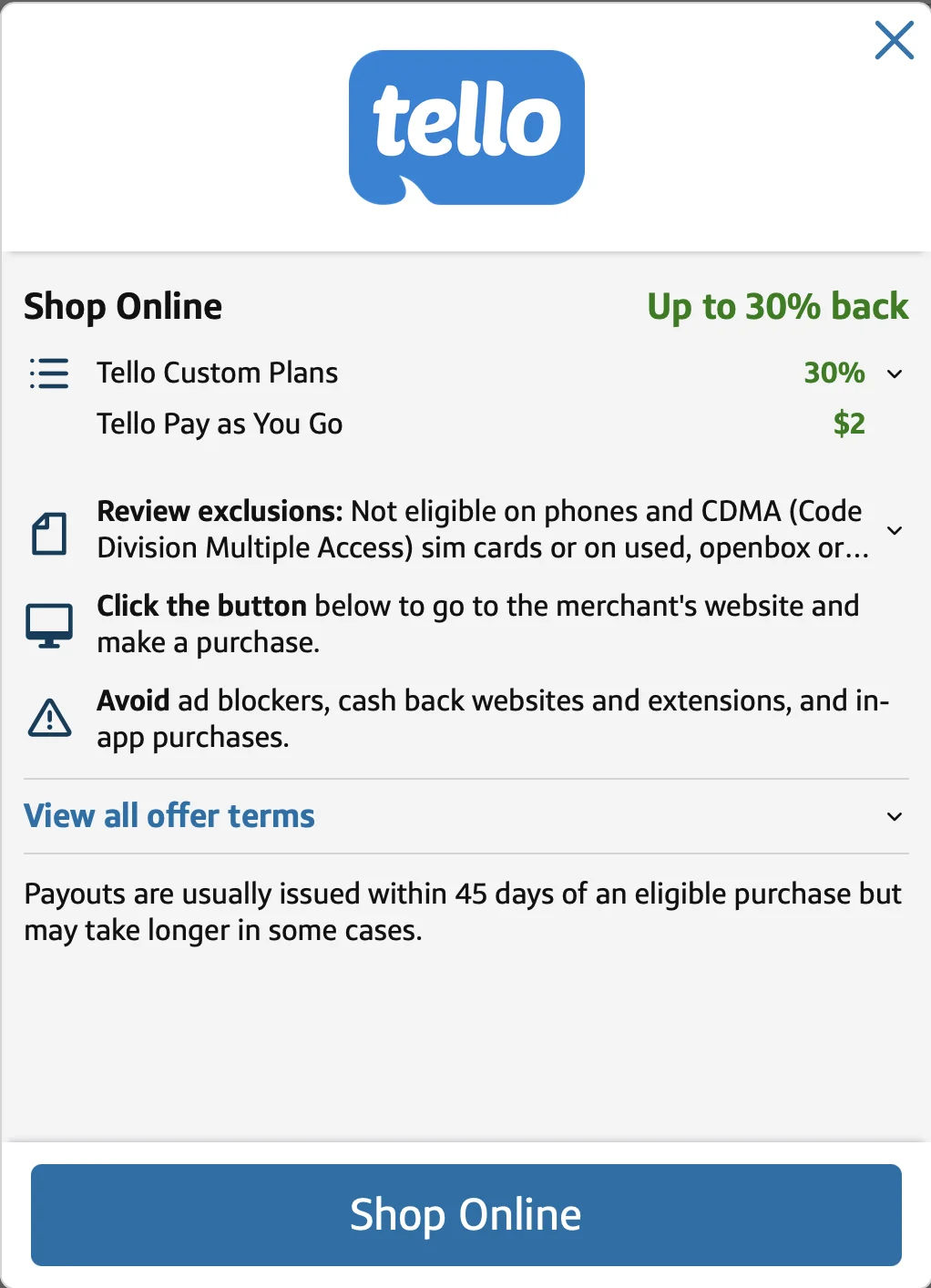
Screenshot of Capital One Offer for Tello: Up to 30% cash back
I followed the same steps:
- Activated the offer
- Completed purchase in one session
- Didn’t use ad blockers or extensions
- Met all stated conditions
Result:
- The Shopping Trip initially showed as “Waiting”, meaning the merchant was reviewing the purchase. This stage can take up to 90 days
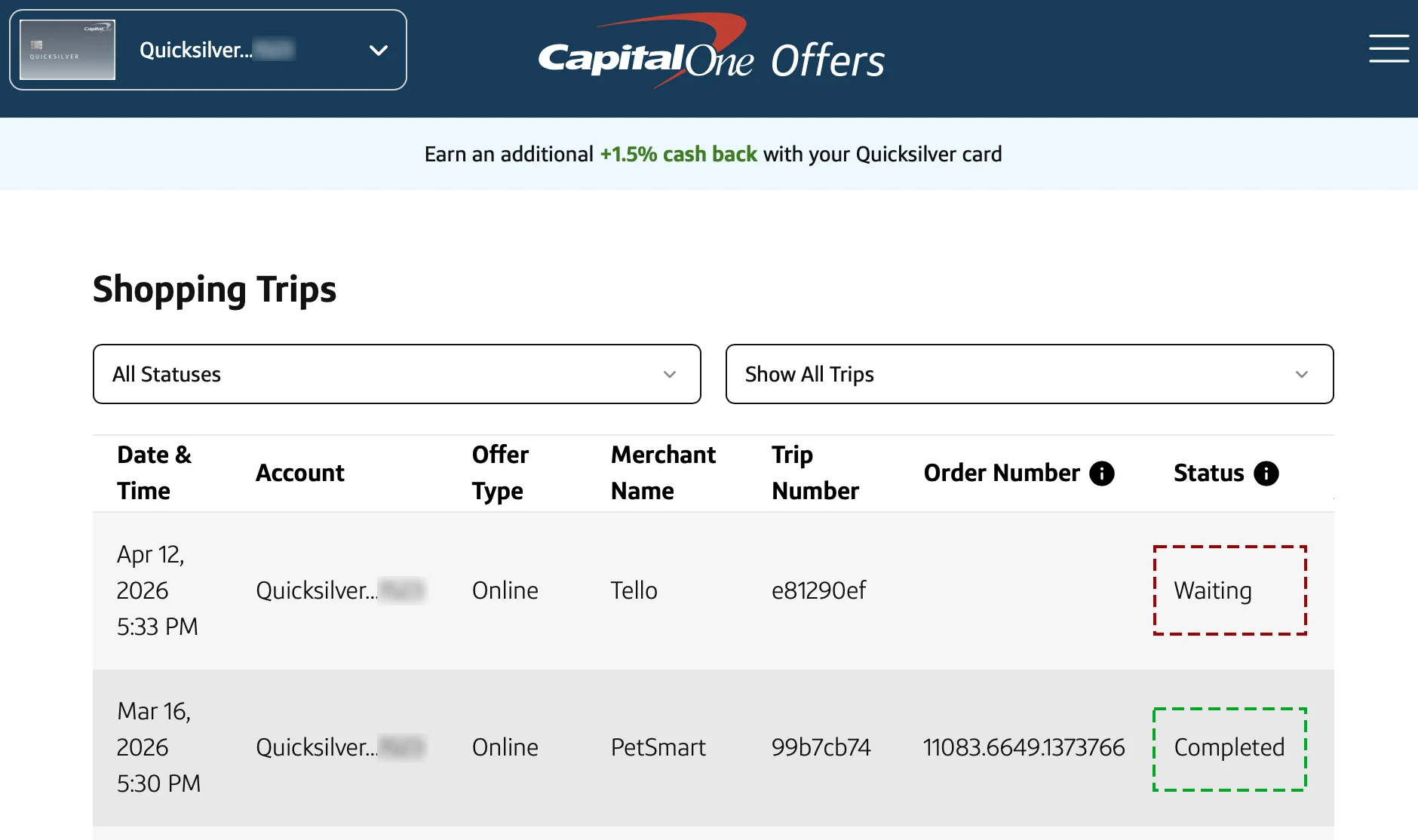
- After the waiting period, the status changed to “Inactive”, meaning the merchant did not report the order to Capital One
- The reward was never credited
This is where the frustration comes in – everything was done correctly, but the system didn’t register the purchase.
Why Capital One Offers Can Feel Like Gambling
Based on repeated use, the experience can feel unpredictable:
- Some offers track instantly
- Some take days
- Some never appear at all
Even when you follow all rules, there’s no guarantee the reward will post.
That’s why it often feels like:
You might get the cash back… or you might not.
How to Check Your Capital One Offer Rewards Status
After making a purchase, you should:
- Go to Capital One Offers in the app or on the website
- Click the menu (three lines in the top right corner)
- Select “Shopping Trips”
- Click “Show All Trips”
- Look for purchase date and merchant name
- Check the status of the trip
If your trip shows “Waiting” for several days, it may be a warning sign that the purchase didn’t track properly.
What to Do If an Offer Didn’t Track
If your Shopping Trip shows as “Waiting,” you’ll need to be patient before taking action.
Step 1: Wait for Status Update
- “Waiting” means the merchant is still reviewing the purchase
- This stage can take up to 90 days
- Capital One typically won’t investigate while the status is still “Waiting”
If you contact support too early, they will usually ask you to wait until the status changes to “Inactive.”
Step 2: Contact Capital One Support
Once the status changes to “Inactive” (or if the reward never posts), you can request assistance.
Contact numbers:
- Credit card customers: 1-(800)-955-7070
- 360 Bank customers: 1-(800)-655-2265
Ask for a representative and say you’re calling about Capital One Offers. You’ll be transferred to the correct department.
Step 3: Be Ready With Details
Have this information prepared to speed up the process:
- Purchase posting date
- Merchant name
- Offer details (e.g., 30% cash back, $25 back, etc.)
- Whether you completed the purchase within 24 hours of clicking the offer
- Whether ad blockers or extensions were disabled
- What you purchased
What to Expect
In my experience, the Capital One Offers support team has been helpful:
- In one case, they contacted the merchant and later credited the reward
- In another case, they credited the reward directly without escalation
Typically, if approved, the credit is applied within 7–10 business days.
Tips to Improve Your Chances of Getting Cash Back
To reduce the risk of failed tracking:
✅ Always start from the Capital One Offer
✅ Better use Google Chrome browser
✅ Complete the purchase in one session
✅ Disable ad blockers (they can interfere with tracking)
✅ Don’t open multiple tabs for the same store
Avoid:
❌ Switching devices or browsers
❌ Using promo codes not listed in the offer
Even with all this, tracking is not guaranteed, but it improves your odds.
Bottom Line
Capital One Shopping Offers can deliver real value – especially with high cash back rates.
But based on real experience:
- Best case: easy savings with no effort
- Worst case: no tracking and time spent chasing support
The key is to treat these offers as a bonus, not a guarantee.
If the purchase makes sense without the cash back, go for it. If you’re relying on the reward to justify the purchase, it may not be worth the risk.
Popular Capital One Credit Cards
If you want to use Capital One Offers, you’ll need an eligible Capital One card. Here are a few popular options:
Savor Rewards – best for 3% cashback on dining, entertainment, and groceries
Quicksilver – simple 1.5% flat-rate cash back on all purchases
Venture One – good for travel rewards with no annual fee